Your troop's MyTroop subscription and billing
Manage your troop's own MyTroop subscription — payment method, status and discounts, upcoming charges, past statements, and cancelling — separate from Stripe for collecting event payments from families.
Admin > Billing is for your troop's own MyTroop subscription — what your troop pays MyTroop each month. This is a completely different thing from connecting Stripe to collect event fees from families: that money goes to your troop's own Stripe account, and MyTroop never touches it. Billing is what you owe MyTroop.
Status
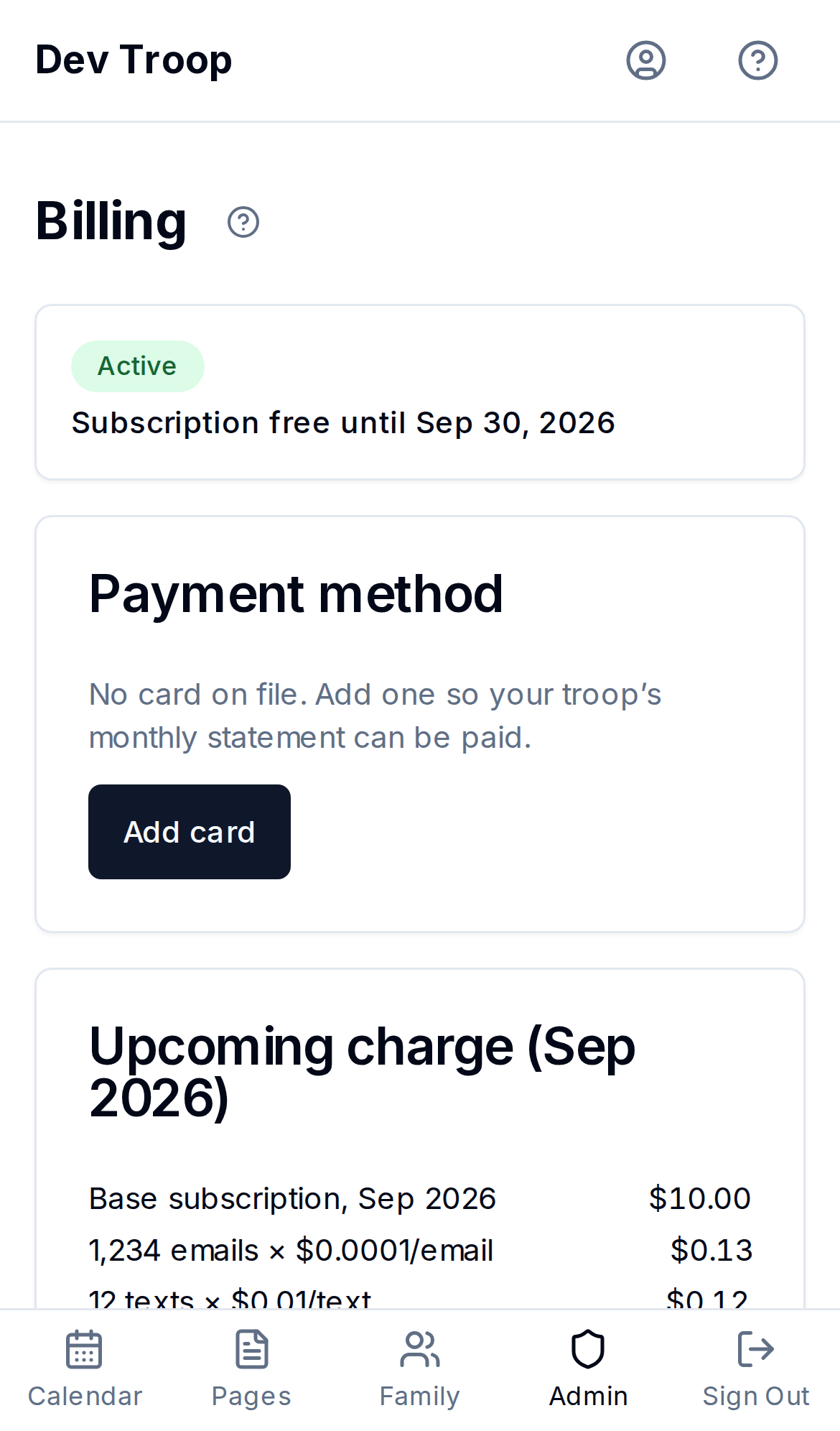
A banner at the top shows where your troop stands: Trial, Active, Past Due, Suspended, or Archived. Next to it you'll see any discount your troop has — for a new troop, Subscription free until the end of its introductory period. A troop that's Past Due has a failed payment that Stripe is automatically retrying — check the card on file. A Suspended troop is read-only until a working card is added and the troop is reactivated. An Archived troop has a recovery deadline shown on the banner — after that, its data is permanently deleted.
Payment method
The card you saved when you started your troop is already on file. Replace card (or Add card, if none is on file) takes you to a secure Stripe page to save a card. Once a card is on file, Manage in Stripe portal opens Stripe's own customer portal, where you can update or remove it directly.
Your card is charged automatically on the 1st of each month for the month before.
How you're charged
- The subscription is charged by the day. You pay for each day your troop is active, so the month you start and the month you cancel cost only the days in between. Days your troop is suspended or archived aren't charged.
- The introductory period covers the subscription only. It's free day by day until the date on the banner. Email, texts and storage are billed at cost from your first day.
- Usage is rounded up to the cent. Any usage at all is at least $0.01, so MyTroop never bills below cost.
- Small amounts are carried forward. If a month's total is under $1.00, it isn't charged — it's carried to your next statement and charged once the total reaches $1.00. Carried amounts don't expire.
Upcoming charge
A running estimate of this month's statement: the subscription for the days your troop is active this month, plus email, text and storage usage so far. Discounts show as their own lines, and so does any Balance from previous statements carried from earlier months. If the total is under $1.00 the card says it will be carried rather than charged. It's an estimate, not a bill: the real charge happens on the 1st of next month. See Usage and cost breakdown for usage by month.
Past statements
Every monthly statement, and a final statement if you've cancelled, with its status and amount. Carried to next statement means it was under $1.00 and was added to the next one instead. Waived means a final amount under $0.50 was forgiven. Click View to open the Stripe-hosted invoice or receipt.
Cancelling and reactivating
Cancel troop archives your troop and makes it read-only, and settles your bill right away. Before you confirm, the page shows exactly what will be charged now: the subscription through today, usage not yet billed, and any carried balance. If that's under $0.50, it's waived and nothing is charged. There's no later bill.
Your data isn't deleted immediately — you have 90 days to reactivate before it's gone for good. If you cancel by mistake or change your mind, come back to this page and click Reactivate troop. Any charges that failed are retried against your card on file, and billing resumes from the day you reactivate — the days your troop was archived aren't charged.
Who can do this
Admins only.
Related articles
Usage and cost breakdown
See how many emails and texts your troop has sent and how much storage you're using each month, and what that costs against your MyTroop subscription.
Connecting Stripe for online payments
How to enable online payment collection by adding your troop's Stripe credentials and webhook.