Importing an outside calendar feed (ICS)
Pull events from an external .ics calendar feed — like a council or district calendar — into your troop's MyTroop calendar.
This is the reverse of subscribing to your troop's calendar: instead of pulling MyTroop events out into your personal calendar app, ICS import pulls events in from an outside .ics feed — a council calendar, a district event list, anything that publishes one.
Importing a feed
From Admin > Import/Export, click Import ICS.
-
URL step — paste the feed's
.icsURL and click Fetch Events. -
Select step — every event MyTroop found in the feed is listed with its date, time, and location. Check the ones you want, or use Select All / Deselect All, then click Import N Event(s).
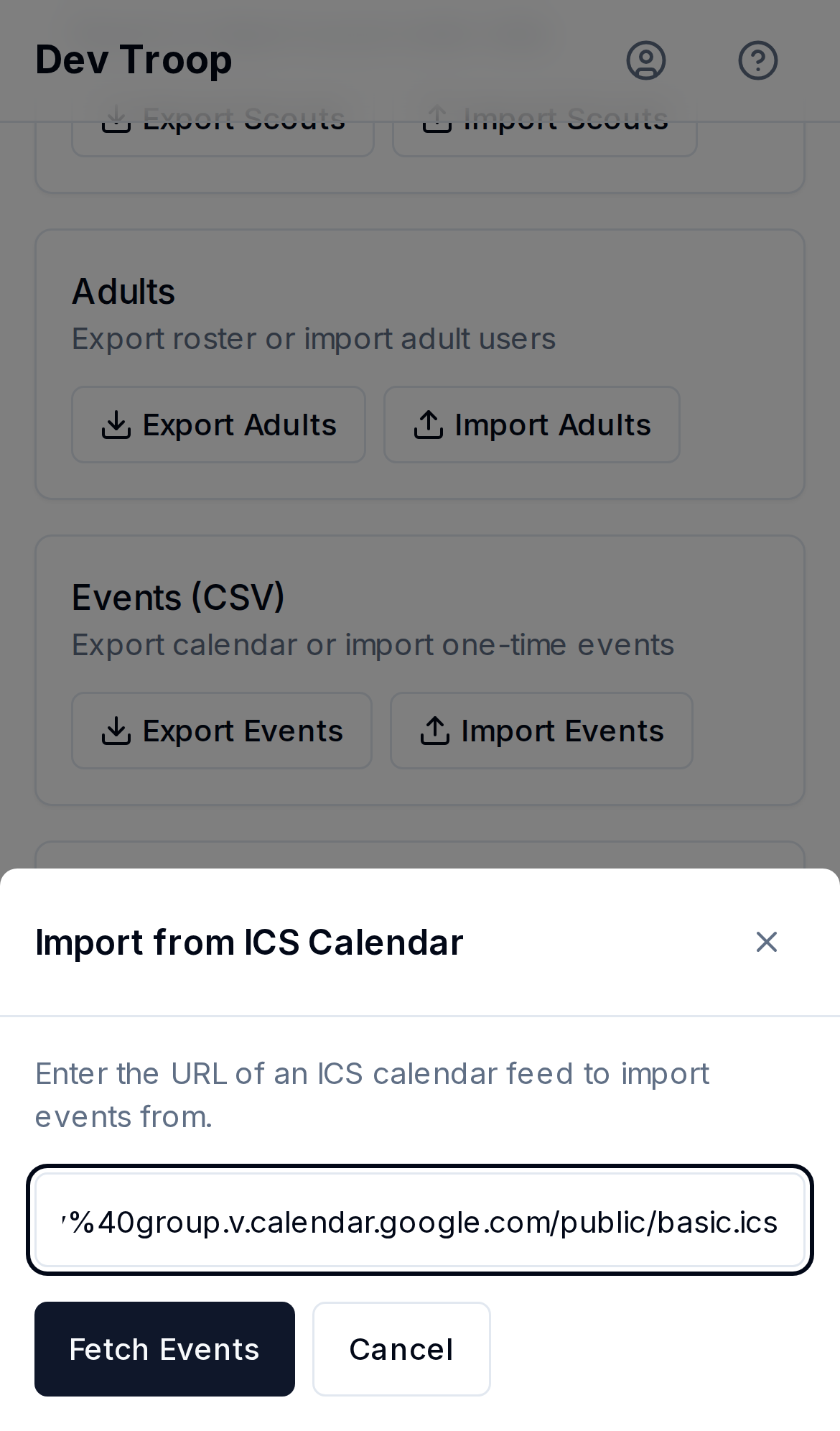
The ICS import dialog on its URL step with a feed link entered. 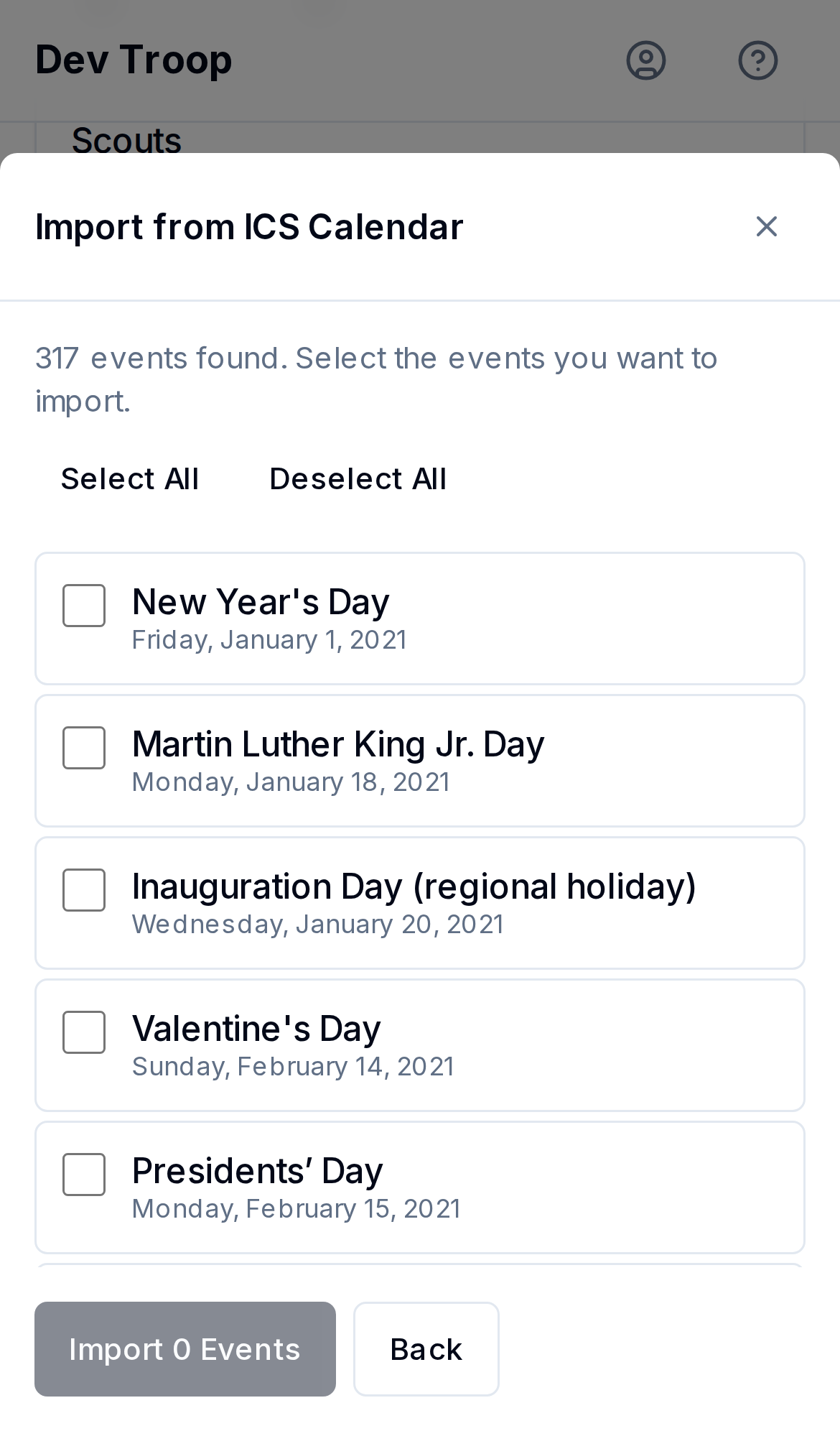
The ICS import dialog on its select step, showing fetched events with checkboxes. -
Confirm step — a reminder that imported events come in as plain one-time events with RSVP, payment, and transportation all off by default. Click Confirm Import.
-
MyTroop imports the selected events one at a time, showing progress, then reports how many succeeded and lists any that failed.
What you get (and don't)
Imported events are created as ordinary one-time MyTroop events — not linked back to the source feed, so a later change on the council's calendar doesn't update what you imported. If the source changes, re-fetch and import the updated event; you'll get a second copy rather than an update, so delete the stale one.
Nothing about RSVPs, den/patrol targeting, payments, or transportation carries over — those aren't part of the .ics format. Turn them on afterward from the event's own edit page if you need them, same as creating an event from scratch.
Who can do this
Admins and Leaders.
Related articles
Subscribe to your troop's calendar
How to add the troop calendar to Apple Calendar, Google Calendar, or Outlook so events show up alongside your personal schedule.
Using the calendar
What the calendar shows, who sees what, and the four ways to view it.
Import and Export overview
The Admin > Import/Export page in one place — bulk CSV for scouts, adults, and events, plus importing an outside ICS calendar feed.